
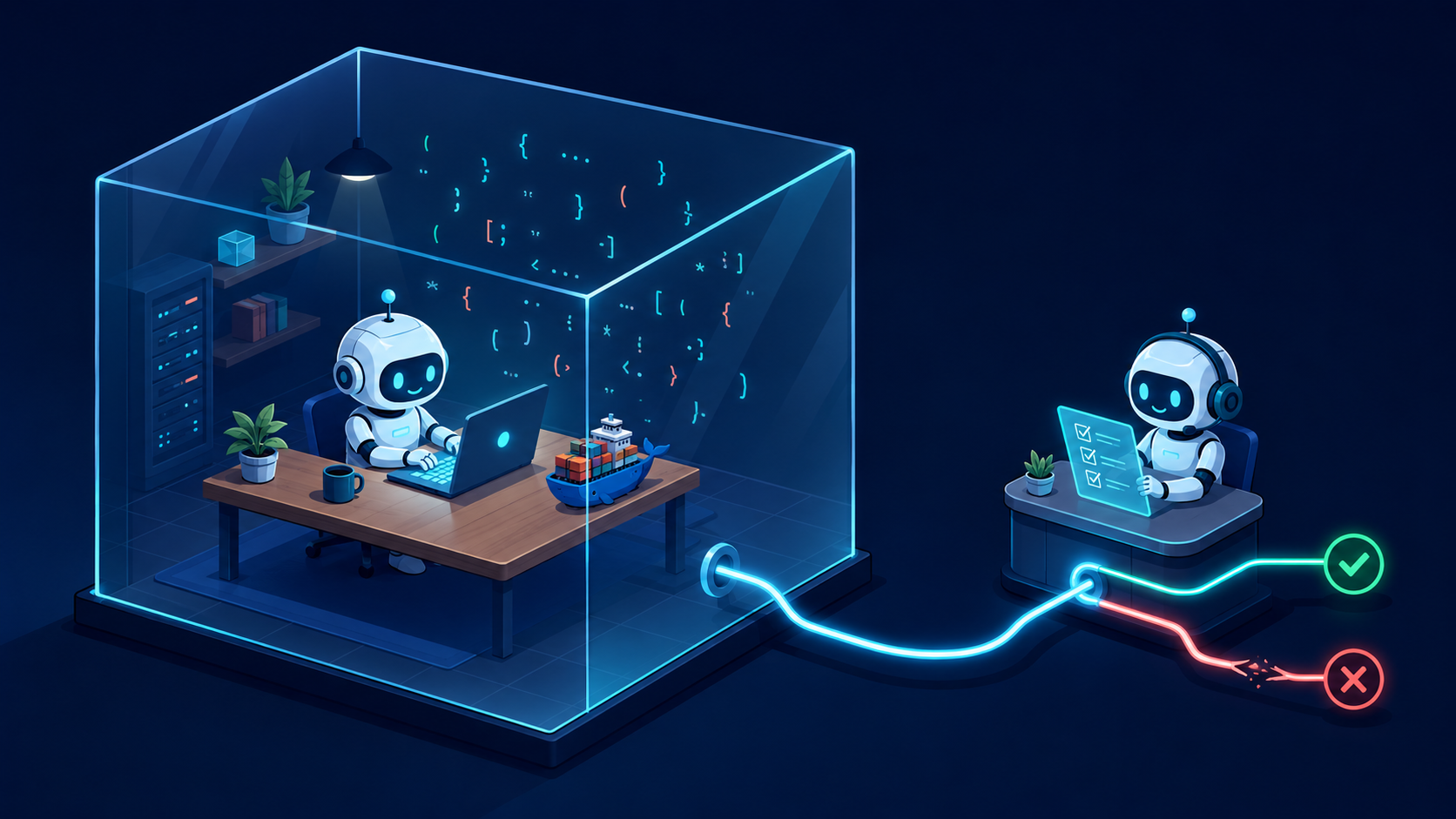
It's been a while since I wrote anything here. Truth is, between work and life, the blog kept sliding down the todo list. But last week I went down a rabbit hole that was too much fun not to write about: running a coding agent in full YOLO mode (yes, the actual flag is called --yolo), powered entirely by a local Gemma 4 model, inside a Docker Sandbox where the blast radius is exactly one project folder. No cloud, no permission prompts, no real API key anywhere. And true to this blog's tagline, almost nothing worked on the first try, which is exactly why it's worth writing about :)
Here's the punchline up front: by the end of this post, a 7.5B parameter Gemma 4 running on my MacBook found and fixed a bug in a Java project on its own, recovered from a compile error it introduced itself, and re-ran the tests to green. All of it inside a microVM that couldn't touch anything on my machine beyond the one folder I handed it. In part 2, we'll push it much further (multi-file refactors, a different harness, and a face-off against Claude), but first we need to get this thing running, and that journey deserves its own post.
The problem with coding agents (and the YOLO dilemma)
If you've used Claude Code, Codex, Gemini CLI or any of their friends, you know the dance: the agent wants to run a command, you get a permission prompt, you squint at it, you press yes (I can see you calling me an old dude because you use auto-mode, but auto-mode still slams the brakes exactly when things get interesting :D). Sooner or later you're tempted by the "skip all permissions" flag, and that's when the agent decides to rm -rf something important or curl your environment variables to who-knows-where.
The industry answer to this is isolation: let the agent do whatever it wants, but inside an environment where "whatever it wants" can't reach your actual machine. That's what Docker Sandboxes is about.
Explain it like I am 6 years old (Sort of!)
Imagine handing a very enthusiastic intern one project folder and locking them in a room with a computer that has no internet, except for a phone line that goes through a receptionist who checks every single call against an approved list. Inside the room, the intern can install anything, break anything, try anything. The edits they make to your folder are real (that's the point, you want the fixed files back!), but the rest of your office is simply unreachable, and you can read the transcript of every phone call they tried to make. If you'd rather they scribble on a copy, hand them a disposable checkout (a scratch clone or a git worktree) instead of the original.
That room is a microVM (a real virtual machine with its own kernel, not just a container). The receptionist is a network policy proxy. And the transcript is sbx policy log.
In more technical terms
Three Docker pieces make this work, and they're newer (and more separate) than you might expect:
- Docker Sandboxes (the
sbxCLI): hardware-isolated Linux microVMs for running agents. It ships as its own standalone CLI (installed from Docker's brew tap), with its own login and its own network policy engine. - Docker Model Runner: runs GGUF models locally with an OpenAI-compatible API, managed like any other Docker artifact (
docker model pull ai/gemma4). - Docker Agent (the open-source project you might remember as
cagent, before the rename): a declarative agent runtime. You describe an agent in YAML (model, instructions, toolsets) and it does the agentic loop for you.
The model I picked is Gemma 4, specifically the E4B instruction-tuned build at Q4 quantization, about 6 GB on disk. Why Gemma? Google shipped an update this July that improved exactly the thing coding agents live and die by: tool calling. I wanted to see if a small local model could actually drive an agent loop, not just chat.
Showtime
Everything below ran on my M1 Max MacBook with Docker Desktop 4.83.
First, the model:
docker desktop enable model-runner
docker model pull ai/gemma4
That gives you an OpenAI-compatible endpoint on http://localhost:12434/engines/v1. Quick sanity check that tool calling actually works:
curl -s http://localhost:12434/engines/v1/chat/completions \
  -H 'Content-Type: application/json' \
  -d '{
    "model": "ai/gemma4",
    "messages": [{"role": "user", "content": "What files are in the current directory? Use the tool."}],
    "tools": [{"type": "function", "function": {"name": "list_files",
      "description": "List files in a directory",
      "parameters": {"type": "object", "properties": {"path": {"type": "string"}}, "required": ["path"]}}}]
  }'
Gemma 4 responded with a clean tool_calls block, valid JSON arguments and all, plus a reasoning_content field showing its thinking. Off to a good start!
Next, the sandbox runtime, which is not bundled with Docker Desktop.
brew trust docker/tap
brew install docker/tap/sbx
sbx login
sbx policy init balanced
The policy init line matters: without it, sandbox creation just fails. balanced gives you a default-deny network policy with sensible allowances, which will become very relevant in a minute.
For the guinea pig project, I wrote a tiny Java stats library with a planted bug: median() that never sorts its input. Two of five tests fail. A classic. The whole test suite runs with a single java src/StatsTest.java (single-file source launch, no build tool needed).
Failure sucks but instructs (a collection)
This is the part most tutorials skip, and honestly it's where I have the most fun: failing! Here's everything that broke, in order.
Failure #1: the network policy ate my model. The first thing I did from inside the sandbox was try to reach Model Runner on the host:
Blocked by network policy: domain localhost:12434
  detail: no matching allow rule — blocked by default deny policy
This is actually the system working as designed, and honestly it's beautiful. Every single outbound connection from the sandbox goes through a proxy at gateway.docker.internal:3128. Even Java is force-fed the proxy via JAVA_TOOL_OPTIONS. Nothing leaves the VM without a matching allow rule, and sbx policy log gives you the receipts (this is the cumulative log, captured after I eventually got the allow rule right):
Blocked requests:
SANDBOX                     HOST                              REASON                                  COUNT
docker-agent-sandbox-demo   localhost:12434                   No matching allow rule (default deny)   2
docker-agent-sandbox-demo   model-runner.docker.internal:80   No matching allow rule (default deny)   1

Allowed requests:
docker-agent-sandbox-demo   localhost:12434            2
docker-agent-sandbox-demo   github.com:443             2
docker-agent-sandbox-demo   ports.ubuntu.com:80        6
docker-agent-sandbox-demo   models.dev:443             1
Every connection the agent ever attempted, allowed or blocked, with counts. Try getting that audit trail out of an agent running raw on your laptop! Bonus security detail: service secrets you register with sbx secret are held by the proxy, which injects them into API requests on the agent's behalf. The credential never enters the sandbox filesystem at all.
Failure #2: the allow rule that didn't allow. Naturally I added a rule for the endpoint I was calling:
sbx policy allow network --sandbox my-sandbox "host.docker.internal:12434"
Still blocked! The proxy canonicalizes host.docker.internal to localhost before matching rules, so the rule has to say what the proxy sees:
sbx policy allow network --sandbox my-sandbox "localhost:12434"
After that, curl from inside the sandbox happily listed my local models. The wiring exists, you just have to speak the proxy's language.
Failure #3: the version-skew zombie. The official path for all this is one flag: docker agent run coder --sandbox --yolo --model dmr/ai/gemma4 --models-gateway http://host.docker.internal:12434/engines. It even auto-allowlists the gateway in the sandbox proxy for you. Lovely! Except the host CLI kept dying with inspect exec: context deadline exceeded, while (plot twist) the agent process kept running headless inside the VM, going nowhere.
Poking inside revealed why: the sandbox template ships docker-agent v1.88.1, it tries to self-update to match the host and 404s on its checksums file, and the old version hard-fails with "docker model runner is not available" because it probes for a Model Runner inside the VM and ignores the gateway flag entirely. I filed it upstream as docker-agent#3871, so you can track when the official path gets unbroken.
The fix: one small YAML file
The workaround turned out to be cleaner than the official path. Docker Agent lets you define your own model provider, so instead of fighting the built-in dmr provider, you point a generic OpenAI provider at the host:
version: "2"

agents:
  root:
    model: gemma
    description: Coding agent that investigates and fixes failing tests
    instruction: |
      You are a careful coding agent working in the current directory.
      When asked to fix a bug:
      1. Run the test command the user gives you and read the failures.
      2. Read the relevant source file and find the root cause.
      3. Apply a minimal fix.
      4. Re-run the tests and confirm they pass before declaring success.
    toolsets:
      - type: filesystem
      - type: shell

models:
  gemma:
    provider: openai
    model: ai/gemma4
    base_url: http://host.docker.internal:12434/engines/v1
That base_url is the entire trick, and it's portable: point it at any other OpenAI-compatible server (Ollama, vLLM, a bare llama.cpp) and everything else stays the same. Create a sandbox for the project (if the failed attempt above didn't already leave you one) and run the agent inside it:
sbx run --detached --name my-sandbox docker-agent .
sbx exec my-sandbox -- sh -c \
  'OPENAI_API_KEY=dummy docker-agent run ./coder-gemma.yaml --exec --yolo \
   "The test suite fails. Run java src/StatsTest.java, find the bug in src/Stats.java, fix it, and confirm all 5 tests pass."'
The OPENAI_API_KEY=dummy is exactly what it looks like: the provider insists on a key existing, Model Runner ignores it entirely. No real credential anywhere.
One privacy footnote before you YOLO: by default, running docker agent in a sandbox stages a "kit" of your local agent skills (things like ~/.claude/skills) into the VM, with secrets redacted. I ran with --no-kit to keep my personal setup out of the sandbox; worth knowing it's there.
On my host, docker model ps lit up: gemma4 llama.cpp completion Loading.... The sandboxed agent was pulling inference from my machine through the policy proxy. We're in business!
So... can a 7.5B model actually code?
Here's the transcript, compressed. Gemma 4:
- Ran the tests, read the two failures.
- Read
Stats.javaand correctly diagnosed the root cause: "The median calculation requires the list to be sorted." - Applied a fix, and notably chose to sort a copy of the list instead of mutating the caller's input, reasoning that "since I don't know if it's mutable or immutable, sorting a copy is the safest approach." A 6 GB model showing API design manners!
- Broke the build. It used
Collectors.toList()without adding the import. The re-run failed withcannot find symbol. - Read the compiler error, added
import java.util.stream.Collectors;, re-ran the tests:OK (5 tests).
I verified on the host afterwards. All green, and the diff is exactly what a careful human would have written.
Honestly, step 4 and 5 impressed me more than a perfect one shot would have. Recovering from your own mistake is the actual job of a coding agent. The reasoning was verbose (small models think out loud, a lot), but for fix-the-failing-test work, running entirely on my laptop, for free? Genuinely usable.
What's next
The demo project and the agent YAML are on GitHub, planted bug and agent-authored fix included in the git history.
But one file and one bug is easy mode. In part 2, I raise the bar: a multi-file refactor to find Gemma's ceiling, the same model driven by a completely different harness (opencode), and a head-to-head against Claude Code, with a plot twist in the network policy log that might be the best argument for sandboxes I've seen. Stay tuned!